Redact PDFs on iPhone, iPad and Mac. Permanently, and without uploading.
PDF Redact finds names, addresses, Social Security and account numbers automatically, removes them from the file (not just covers them), and checks the result before you share it. Everything happens on your device.
PDF RedactWorks on iPhone, iPad and Mac. Your first export is free.

What it does
Finds personal info for you
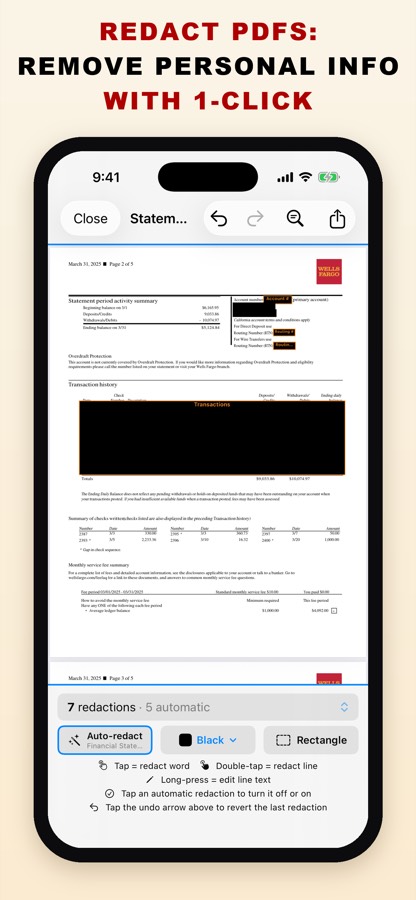
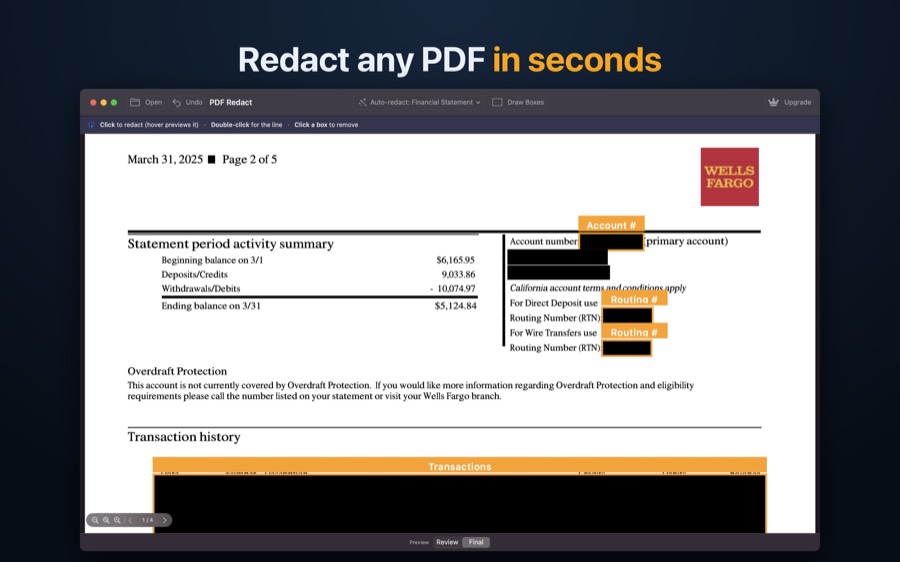
Names, addresses, Social Security numbers, account, routing and card numbers, phones, emails and dates of birth, detected on the device.
Presets for real documents
Financial Statement, Tax Documents, Medical / HIPAA, HIPAA Safe Harbor and Legal / Court. The app picks one for the document it sees.
Removed, not covered
Exported pages are rebuilt from what is visible. Redacted text is gone; everything else stays searchable, saved as PDF/A.
Privacy audit on every export
Checks for leftover text, missed copies, metadata, annotations and bookmarks, and reports Verified Clean.
Court-filing format
Leaves the last four digits and the birth year visible, as Fed. R. Civ. P. 5.2 and Bankruptcy Rule 9037 allow.
Scans and photos
On-device text recognition reads image-only PDFs and photos of documents.
Find & Redact
Search for any word or number and redact every match in one step.
Nothing is uploaded
No account, no server. It works offline, in airplane mode.
How it works
- Open a PDF or a photo of a document.
- Review what it found; tap to add or remove redactions.
- Export. The privacy audit confirms the file is clean.
Pricing
Your first export is free, with every feature. After that, choose a subscription for unlimited exports and batch redaction (monthly with a 7-day free trial, or yearly), or buy a one-time pack of five exports. US prices: $12.99 per month, $39.99 per year, or $4.99 for five exports; other regions vary. One purchase covers iPhone, iPad and Mac.
Requirements
iPhone and iPad with iOS / iPadOS 17 or later; Mac with macOS 13 Ventura or later. On the App Store it’s listed as “Redact Document & PDF”.
Guides
- Redact a PDF on iPhoneFind and permanently remove personal details, on the phone.
- Redact a PDF on iPadThe same tools on a bigger screen, plus batch redaction.
- Redact a PDF on MacPreview’s Redact tool vs. automatic detection on the Mac.
- Redact a bank statementFor a rental, loan or job application: what to hide and what to keep.
- Redact a Social Security numberRemove SSNs from any PDF, or keep only the last four digits.
- Redact a W-2, 1099 or tax returnHide SSNs, EINs and account numbers on tax forms.
- Redact a pay stubProve income without exposing your SSN or bank account.
- Redact medical recordsRemove patient identifiers, including a Safe Harbor-style preset.